Your disk stays yours
FreeMyMac scans locally, shows every path before cleanup, and moves files to Trash first. No uploaded file lists, no cloud scoring, no guesswork.
macos disk cleaner / local-only / developer clutter
FreeMyMac finds build caches, simulator leftovers, node_modules, old installers, and the junk folders that quietly turn fast machines into full ones. Review every byte, then clean with confidence.
free scan / pay once to clean / no subscription
$ freemymac scan --safe --local
699 GB reclaimable / 17 categories / 0 bytes uploaded
$ open FreeMyMac.app # review before cleaning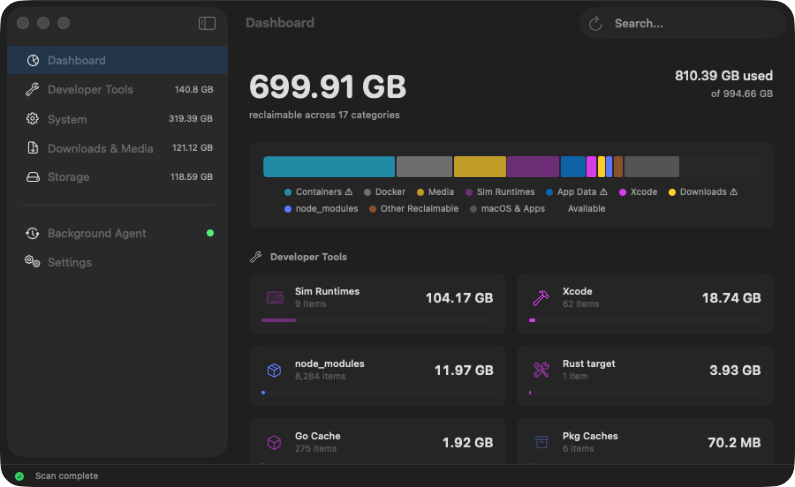
the base deal
The theme is quiet because the job is serious: show the filesystem clearly, avoid fake urgency, and let you reclaim space without wondering what just happened.
FreeMyMac scans locally, shows every path before cleanup, and moves files to Trash first. No uploaded file lists, no cloud scoring, no guesswork.
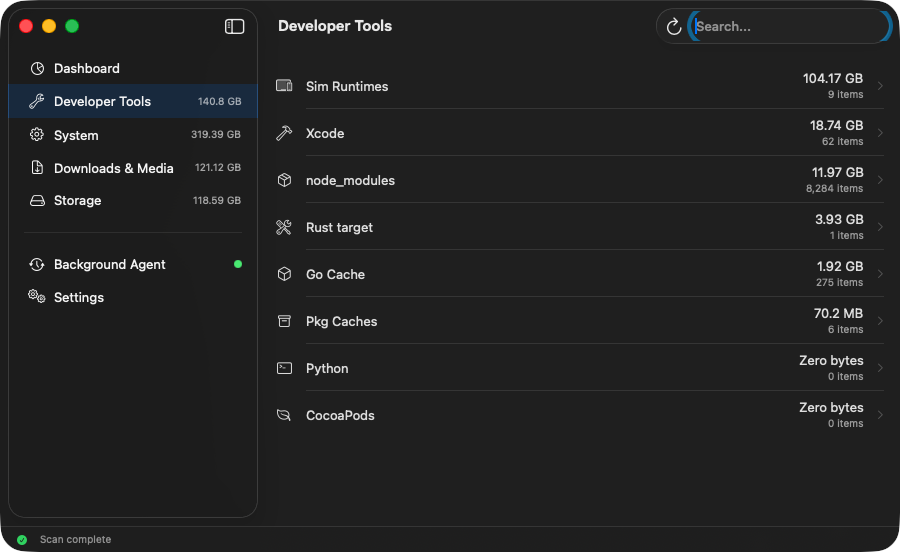
Find DerivedData, node_modules, Rust targets, simulator data, package caches, Docker leftovers, and the folders that quietly eat whole drives.
Risk labels, exact sizes, file-level views, and storage maps make it obvious what is safe to remove and what needs a second look.
No subscription and no cleanup quota. Buy once, unlock cleaning, and keep using the app with six months of updates included.
inspect before deleting
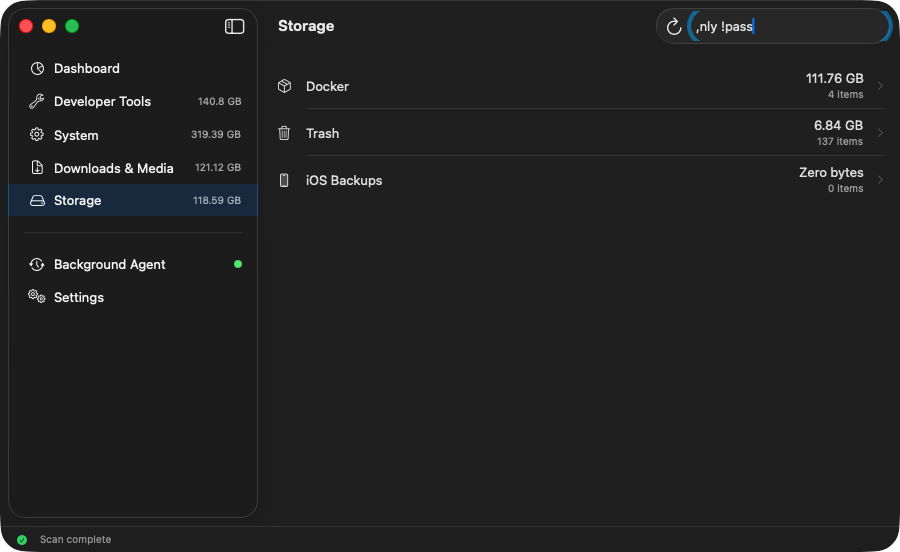
You can drill into categories, inspect the files behind a total, and decide what is actually worth reclaiming.
privacy is the feature
The app scans known safe locations, stores state locally, and keeps cloud services out of the cleanup decision. The website sells a license; the app does the work on your machine.
local disk->FreeMyMac scan engine->Trash review//cloud file upload
download to cleanup
The app maps safe cleanup categories and the background agent keeps the cache warm after the first pass.
Open any category, compare paths, sort by size, and understand where the reclaimable space is hiding.
FreeMyMac validates every path again before cleanup and leaves macOS Trash as your undo buffer.
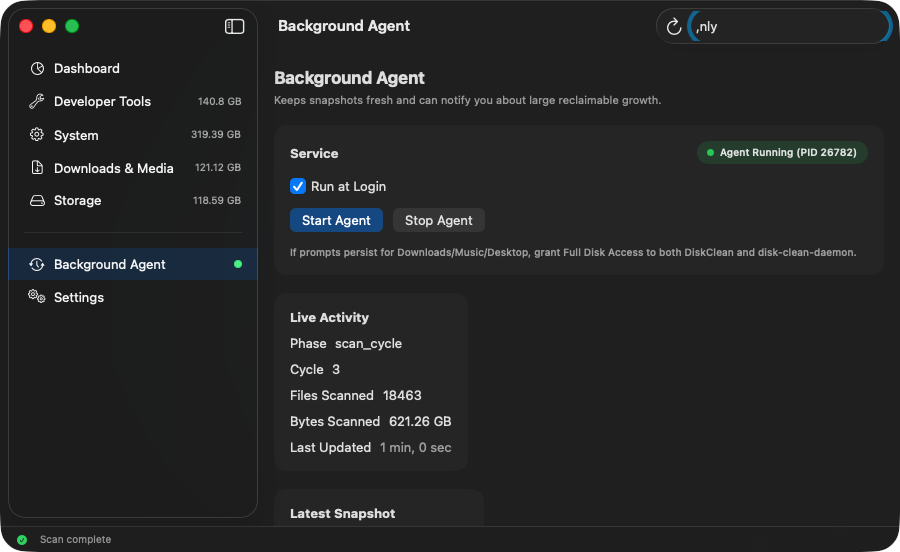
background agent
The lightweight daemon watches for filesystem changes, refreshes dirty branches, and keeps the app responsive instead of forcing a full sweep every time.
simple pricing
Run the scan for free. Pay once to unlock cleaning and updates for the next six months.
subscription cleaners
$10/mo
A recurring bill for deleting files on a machine you already own.
freemymac
$20once
Unlock cleaning, background monitoring, and six months of updates.
full license
instant delivery / activate inside the app
before you ask
Yes. FreeMyMac uses an allowlist approach and never deletes without confirmation. System files, keychains, SSH keys, Mail, Messages, and other sensitive locations are protected.
The app keeps working. The included update window ends after six months, and you can buy another license later if you want newer builds.
Yes. FreeMyMac is built as a universal macOS app for Apple Silicon and Intel Macs.
FreeMyMac supports macOS 13 Ventura and later.
free the drive
Scan for free, review the results, then unlock cleaning when you are ready to reclaim the space.